






The first game you make will probably not be very good. That’s not a criticism — it’s just the nature of first attempts at anything. What matters is that you actually make it, because the distance between someone who has made a game (even a rough one) and someone who hasn’t is enormous. Almost everything you learn in game development comes from building things and seeing them fail or succeed in front of real players.
The practical problem is that making even a simple game the traditional way requires enough technical knowledge that many people never get there. An AI game agent removes that barrier. You don’t need to know how to code, how engines work, or how to create assets. You need a game idea and a few hours. The agent handles the rest. If you’ve been curious about vibe coding game tools that let you lead with feeling rather than technical planning, this is the right place to start — the agent translates your creative instincts into something playable without requiring you to become a developer first.
Before You Start: Setting Realistic Expectations for Day One
Your first game is a prototype, not a product. It will have rough edges. The difficulty might be unbalanced. The art style might not be exactly what you imagined. That’s fine — expected, even. What you’re doing on day one is proving the concept works and getting something into a playable state. Polish comes later.
The other thing worth knowing: the agent makes decisions when you don’t. If your prompt is vague in certain areas, it will fill in those gaps based on what makes sense for the genre and style you described. Sometimes those decisions will surprise you. When they do, you can redirect — but don’t treat every unexpected choice as a mistake. Some of them will be better than what you would have specified.
Choosing the Right Type of Game for Your First Agent Build
Scope is everything on a first build. Pick something you can play in two minutes. A platformer with five short levels. A clicker game with three upgrade tiers. A simple puzzle with eight stages. Not because those games are less interesting, but because a smaller scope means faster feedback and less complexity to manage when you’re still learning how to work with the agent.
Narrative games and open-world concepts are ambitious and absolutely doable — just not ideal for the very first session. Save those for when you’ve gone through the build-play-revise loop a couple of times and understand how the agent responds to different kinds of input.
Creating Your First Game With Combos’ Agent Boo
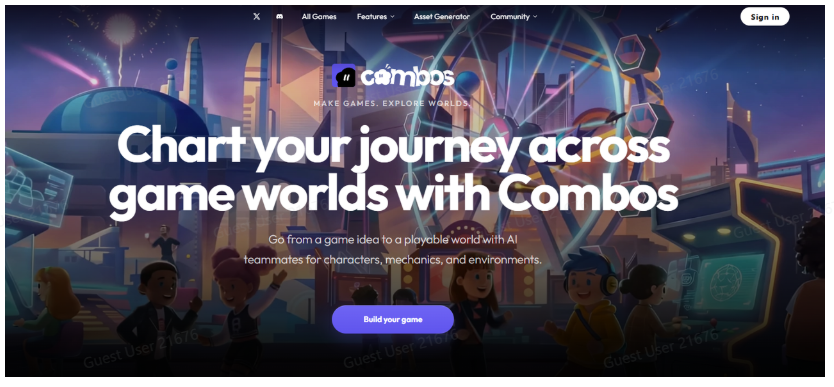
Step 1: Go to combos.fun — pick a simple genre for your first build: platformer, clicker, or puzzle
Open the platform and don’t spend more than five minutes on this decision. The genre matters less than the fact that you’re starting. Each of these three types has a clear core loop that the agent handles well from a first prompt.
Step 2: Describe your game to Boo in two or three sentences — setting, player action, and goal
Write the way you’d explain it out loud. ‘A side-scrolling platformer set in a flooded city where the player jumps between debris to reach a rooftop. Three levels, increasing difficulty.’ That’s enough. You don’t need a design document — just enough for Boo to understand what you’re going for.
Step 3: Let Boo’s pre-communication stage ask its questions, and answer simply and honestly
Boo will ask about a few things it couldn’t determine from your prompt — art style, difficulty preference, and whether you want enemies or environmental hazards. Answer directly. Don’t overthink it. You can change any of this later.
Step 4: Approve the GDD and wait for your prototype — resist editing before you’ve played it once
The Game Design Document Boo produces is your blueprint. Read it through, make sure nothing is wildly off, and then approve it. The instinct to start tweaking before the build is ready will slow you down. Let it build first.
Step 5: Play it, note what feels wrong, and make changes through natural language before sharing
Play your game before you show anyone. Note three things that feel wrong and address those specifically. ‘The jump height is too low for the gaps in level two.’ ‘The enemy speed in level three makes it impossible.’ Be specific about what’s broken, and Boo will fix that part without touching everything else.
Steering the Agent When It Goes in the Wrong Direction
Sometimes the agent builds something that doesn’t match what you had in mind. It happens more when the initial prompt was vague, but it can happen even with a clear brief. When it does, the fix is almost always more specific feedback rather than starting over.
Instead of ‘this isn’t right’, try ‘the character moves too fast and the platforms are too wide — I want it to feel more precise and demanding’. The more concrete you are about what isn’t working, the more accurately the agent can course-correct without dismantling what’s already good.
What to Do With Your First Game Once It Exists
Send it to someone. Not to show off — to get feedback. Watch them play if you can, or ask them to describe what confused them. Their first five minutes will tell you more than hours of solo playtesting. You’re looking for the moments where they stop, hesitate, or do something you didn’t expect.
That feedback is what you take into the next round of iteration. And after that — whether you continue developing this game or start a new one — you’ll find the second build goes faster and feels more natural. The first one is the hardest. It’s also the most important.
Conclusion
The only thing standing between you and your first game is the decision to start. The agent handles the technical execution. Your job is to have an idea, describe it clearly enough for Boo to work with, and then engage honestly with what comes back. That’s the whole process. It’s available to you today.